
Unity Grahpics API
本文目录 22 个章节
Unity Grahpics API
# Unity Grahpics API
创建时间:2021/2/24 19:24
Unity Grahpics API
* Unity Grahpics API- Graphics
- Graphics.DrawMeshNow
- DrawMeshInstanced
- DrawMeshInstancedIndirect
- DrawMeshInstancedProcedural
- Benchmark
- GL
- GL.Begin
- Mode for Begin
- GL.LoadOrtho
- GL.LoadPixelMatrix
- GL.LoadIdentity
- GL.MultMatrix
- Matrix4x4.Ortho
- GL.PushMatrix & GL.PopMatrix
- GL.GetGPUProjectionMatrix
- Material.SetPass
- RenderTexture
- RenderBuffer
- Camera.targetTexture
- RenderTexture.active
- Graphics
Graphics
Raw interface to Unity’s drawing functions. This is the high-level shortcut into the optimized mesh drawing functionality of Unity.
Graphics.DrawMeshNow
The mesh will be just drawn once, it won’t be per-pixel lit and will not cast or receive realtime shadows.
If you want full integration with lighting and shadowing, use Graphics.DrawMesh instead.
DrawMeshInstanced
draws meshes for one frame without the overhead of creating unnecessary game objects.
用处: Use this function in situations where you want to draw the same mesh for a particular amount of times using an instanced shader.
包围盒计算: It creates an axis-aligned bounding box that contains all the Meshes , calculates the center point, then uses this information to cull and sort the Mesh instances.
关于剔除: Unity culls and sorts instanced Meshes as a group. 粗粒度剔除:对于 combined instances ,要么 整体都画,要么都不画 。 It creates an axis-aligned bounding box that contains all the Meshes, calculates the center point, then uses this information to cull and sort the Mesh instances.
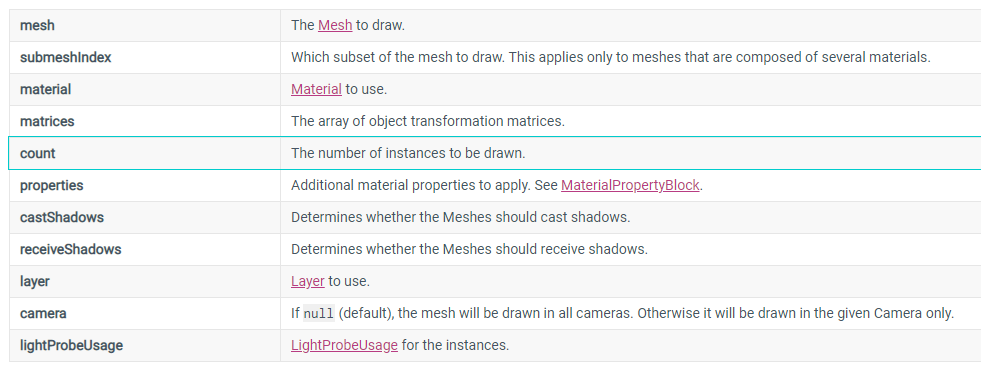
参数特征: 传入矩阵和矩阵的数量 来进行绘制。
限制: You can only draw a maximum of 1023 instances at once.
DrawMeshInstancedIndirect
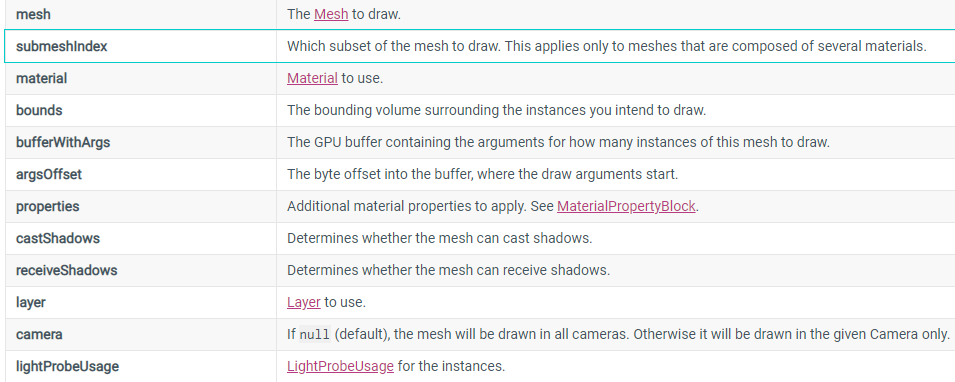
与DrawMeshInstanced的不同:
参数传递方式不同 - ComputeBuffer
需要指定bounds
没有画多少个的限制
bufferWithArgs: index count per instance instance count start index location base vertex location start instance location
DrawMeshInstancedProcedural
This is similar to Graphics.DrawMeshInstancedIndirect, except that the instance count can be supplied directly using this method.
Benchmark
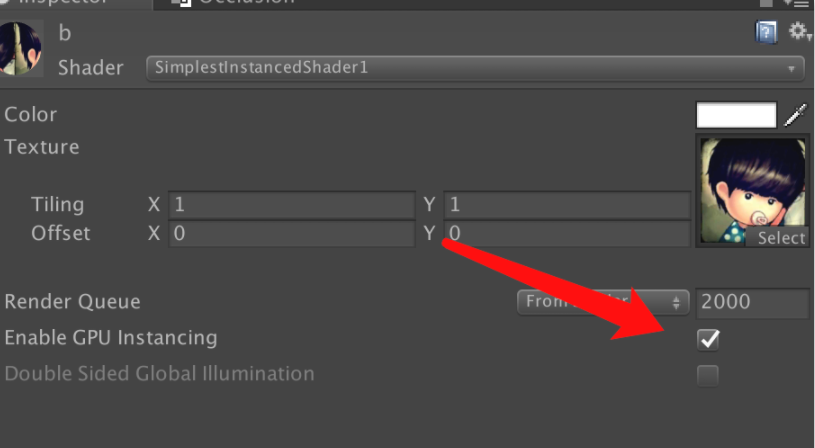
来源:https://www.xuanyusong.com/archives/4488
大量mesh绘制时的性能:
DrawMeshInstancedIndirect(帧率 60) > 自定义Shader中勾选Enable GPU Instancing(帧率 30-40) > 勾选static静态合并批次(40-50帧率)
GL
Low-level graphics library. Use this class to manipulate active transformation matrices, issue rendering commands similar to OpenGL’s immediate mode and do other low-level graphics tasks.
Note that in almost all cases using Graphics.DrawMesh or CommandBuffer is more efficient than using immediate mode drawing.
GL immediate drawing functions use whatever is the “current material” set up right now (see Material.SetPass).
string s = String.Empty;
GL.Begin
Begin drawing 3D primitives. In OpenGL this matches glBegin. Between GL.Begin and GL.End it is valid to call GL.Vertex, GL.Color, GL.TexCoord and other immediate mode drawing functions.
Mode for Begin
Primitives to draw: can be TRIANGLES, TRIANGLE_STRIP, QUADS or LINES.
To set up the screen for drawing in 2D, use GL.LoadOrtho or GL.LoadPixelMatrix.
To set up the screen for drawing in 3D, use GL.LoadIdentity followed by GL.MultMatrix with the desired transformation matrix.
string s = String.Empty;
GL.LoadOrtho
Loads an orthographic projection into the projection matrix and loads an identity into the model and view matrices.
The resulting projection performs the following mappings:
x = 0..1 to x = -1..1 (left..right)
y = 0..1 to y = -1..1 (bottom..top)
z = 1..-100 to z = -1..1 (near..far)
GL.LoadPixelMatrix
Loads an orthographic projection into the projection matrix and loads an identity into the model and view matrices. The projection matrix is such that the X and Y coordinates map directly to pixels.
GL.LoadIdentity
Load an identity into the current model and view matrices.
GL.MultMatrix
Sets the current model matrix to the one specified.
Matrix4x4.Ortho
Create an orthogonal projection matrix.
The returned matrix, when used as a Camera’s projection matrix, creates a projection of the area between left, right, top and bottom, with zNear and zFar as the near and far depth clipping planes into a cube going from (left, bottom, near) = (-1, -1, -1) to (right, top, far) = (1, 1, 1).
The returned matrix embeds a z-flip operation whose purpose is to cancel the z-flip performed by the camera view matrix.
Projection matrices in Unity follow OpenGL convention, i.e. clip space near plane is at z=-1, and far plane is at z=1.
Note that depending on the graphics API used, projection matrices in shaders can follow different convention, for example the D3D-style clip space has near plane at zero and far plane at one; and “reversed Z” projection has near plane at one and far plane at zero. To calculate projection matrix value suitable for passing to shader variables, use GL.GetGPUProjectionMatrix.
string s = String.Empty;
GL.PushMatrix & GL.PopMatrix
Saves the model, view and projection matrices to the top of the matrix stack.
GL.GetGPUProjectionMatrix
Compute GPU projection matrix from camera’s projection matrix. In Unity, projection matrices follow OpenGL convention. However on some platforms they have to be transformed a bit to match the native API requirements. Use this function to calculate how the final projection matrix will be like. The value will match what comes as UNITY_MATRIX_P matrix in a shader.
Material.SetPass
Activate the given pass for rendering. This is mostly used in direct drawing code. For example, drawing 3D primitives with GL.Begin, GL.End, and also drawing meshes using Graphics.DrawMeshNow.
If SetPass returns false, you should not render anything. This is typically the case for special pass types that aren’t meant for rendering, like GrabPass.
MonoBehaviour.OnPostRender() - Event function that Unity calls after a Camera renders the scene.
RenderTexture
Render textures are textures that can be rendered to.
It’s important to release them when you are finished using them with the Release function, as they will not be garbage collected like normal managed types.
RenderBuffer
Color or depth buffer part of a RenderTexture.
A single RenderTexture object represents both color and depth buffers.
RenderTexture.depthBuffer - Depth/stencil buffer of the render texture (Read Only).
RenderTexture.colorBuffer - Color buffer of the render texture (Read Only).
Graphics.activeDepthBuffer - Currently active depth/stencil buffer (Read Only).
Graphics.activeColorBuffer - Currently active color buffer (Read Only).
Camera.targetTexture
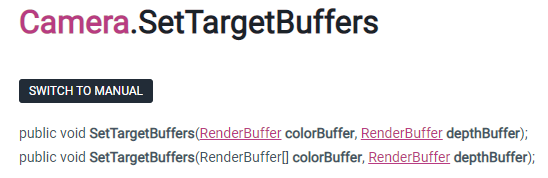
When targetTexture is null, camera renders to screen. It is also possible to make camera render into separate RenderBuffers , or into multiple textures at once, using SetTargetBuffers function.
RenderTexture.active
Currently active render texture. All rendering goes into the active RenderTexture. If the active RenderTexture is null everything is rendered in the main window.
Setting RenderTexture.active is the same as calling Graphics.SetRenderTarget.

The function call with colorBuffers array enables techniques that use Multiple Render Targets ( MRT ), where fragment shader can output more than one final color.